How to Recover Deleted Photos from PC for Free: A Beginner’s Guide

Okay so you deleted something you should not have. Maybe emptied the Recycle Bin without looking. Maybe the drive got formatted by mistake. Whatever happened, the folder has gone and you are here googling at 11pm trying to fix it.
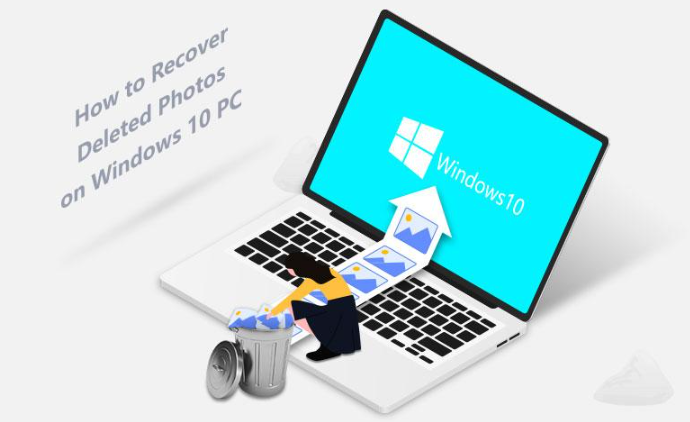
First, some good news. Deleted almost never means gone. Not really. Your PC does not actually erase the photo data when you hit delete, it just tells the drive “hey this space is free, feel free to use it later.” The actual bytes of your photo are usually still sitting there, untouched, until something else gets saved over them. That is the entire reason why you can recover deleted photos from PC.
Which brings me to the one rule that matters more than any tool on this list: stop using the drive. Right now. Do not save anything new to it, don’t install software on it, don’t let it keep syncing in the background. If it is an SD card or a USB stick, take it out and set it somewhere safe. Every file that gets written after your photos disappeared is basically a chance to overwrite the exact data you’re trying to save.
Methods to Recover Deleted Photos from PC: Free Methods
Recover from Recycle Bin
I will say it anyway because people skip it constantly, usually because they have already decided the photos are gone forever and jump straight to downloading software.
- Open the Recycle Bin on your desktop.
- Search or scroll through it if there is a lot of clutter.
- Spot your photos? Right-click and hit Restore, they go right back where they were.
Two catches though. Delete a big enough folder and Windows sometimes skips the bin entirely, no warning, nothing. And if you used Shift+Delete, that skips the bin on purpose. Nothing to find here in that case. Go to the software section.
Photo Recovery from File History
Only useful if you’d turned this on before losing anything, which, let’s be honest, most people haven’t.
- Go to the folder that used to have your photos.
- Right-click inside it and look for “Restore previous versions.”
- Pick a date from the list (only shows up if this was ever active) and hit Restore.
If you have never set this up, do not bother, this section is not for you. Skip it.
Use Cloud Account for Photo Recovery
People forget this one constantly and it annoys me a little because it’s the easiest fix on this entire page.
- Open Google Photos, OneDrive, and iCloud, whichever account your phone or PC might’ve synchronized to at some point.
- Go to the trash or “recently deleted” folder.
- Look for your photos, most services keep deleted stuff around for 30, sometimes 90 days before wiping it.
Takes two minutes to check. Do it before anything else on this list.
Photo Recovery Software, For When the Easy Stuff Fails
Bin is empty. No backup was running. Nothing in the cloud. This is where most people actually end up, and it’s fine, this works.
Here’s the thing about how these tools work that most articles do not really explain: they’re not asking Windows “where are my files.” Windows already forgot. Instead, they read the drive directly, sometimes sector by sector, hunting for the raw signatures that photo files leave behind. Kind of like reading the actual ink instead of asking someone, what the page used to say.
Free photo recovery through Stellar Photo Recovery works okay as a starting point, it recovers a limited batch for free. Worth installing it onto a different drive than the one you’re trying to recover from, by the way, not the same one, that’s just asking for trouble. Steps, roughly:
- Select File Type: Pick photos (or whatever you are after) and click Next.
- Select Recover From: Choose the drive or folder where the photos used to live, then click Scan.
- Preview & Recover: Scroll through the thumbnails once the scan is done, actually look at them instead of trusting the count, select what you want, and hit Recover to save it.
One thing that trips people up: save the recovered files to a different location than the one you scanned. Same drive means you are writing new data right back over whatever it has not found yet.
Works pretty much the same whether it is your main hard drive, an external one, or an SD card. And formatting, contrary to what people assume, doesn’t wipe your data. It clears the index, the map that says where everything is. The photos are often just sitting there underneath, waiting.
When the Drive Was Formatted or Barely Shows Up
This is where deep scans, sometimes called raw scans, come in. Normal scans trust the file systems own records. Deep scans ignore all that and read raw data straight off the disk, matching patterns against known photo headers. Slower, way slower on a big drive honestly, but it’ll pull photos back even after a full format, assuming you haven’t written a ton of new stuff since.
The One Thing Software Genuinely Can’t Fix
Clicking sounds. Grinding noises. Drive not showing up at all. Dropped it, got it wet, left it in a hot car. If any of that is true, stop, do not run recovery software, you will likely make it worse. Physically failing drives need a lab, not a free download. This is rare for a normal “I deleted the wrong folder” situation, but worth knowing before you burn six hours scanning a drive that is dying anyway.
Stuff Worth Doing So You Never Have to Read This Article Again
- Two backup’s minimum, cloud plus an external drive.
- Don’t leave photos sitting on memory cards long term, move them off.
- Turn File History on now while you are already thinking about it.
- Get a cheap UPS if your power’s unreliable, mid-transfer shutdowns cause more corruption than people realize.
- Label your drives. Sounds dumb, saves you from formatting the wrong one on a bad day.
Anyway
Losing photos feels permanent right when it happens, but it usually isn’t, as long as you stop using the drive and actually work through this in order instead of panicking and trying five tools at once. Start with the free stuff, Recycle Bin, File History, cloud trash, since none of it costs anything. If that comes up empty, that is when software built to recover deleted photos from PC drives and cards earns its place. And honestly, if you’ve got a few minutes, it’s worth comparing the best photo recovery tools before committing to one, because what fixes a simple accidental delete isn’t necessarily what you need for a formatted or dying drive.